Google review policies/Impersonation

Google's Impersonation policy. What it covers in a review.

Reviewed by Doug Baker, founder · Updated September 23, 2026 · Policy text snapshot August 2026

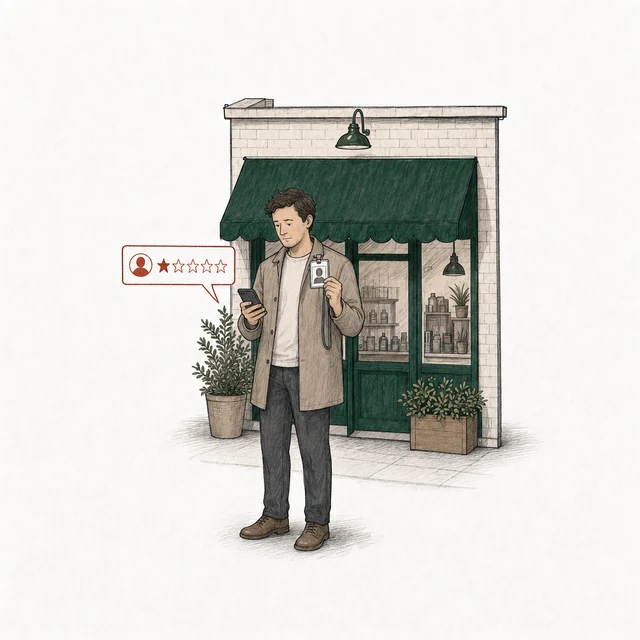
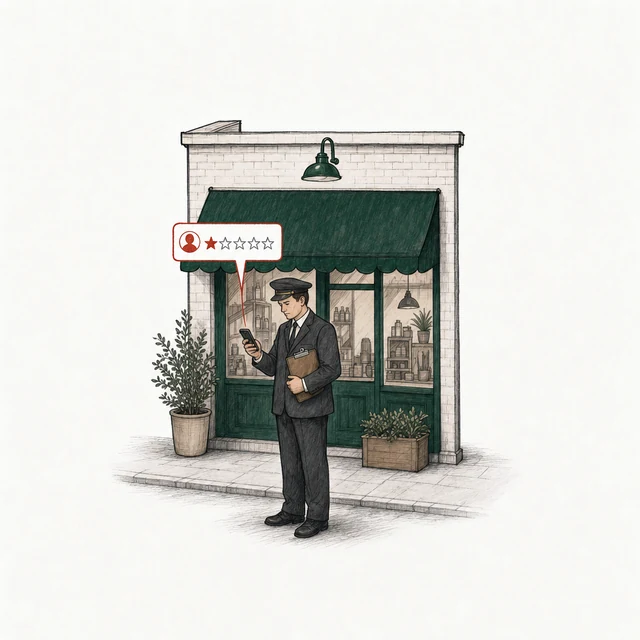
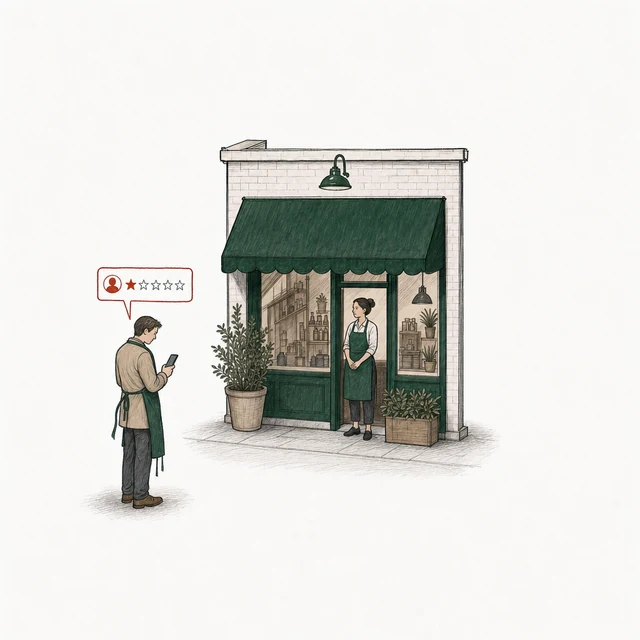
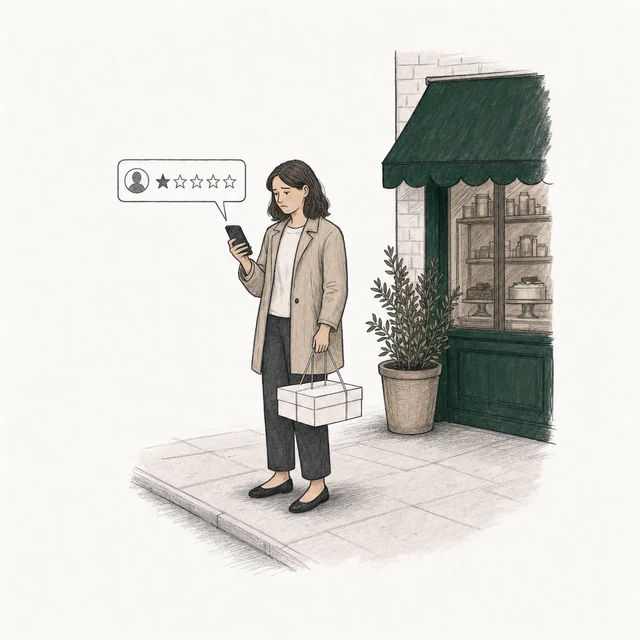
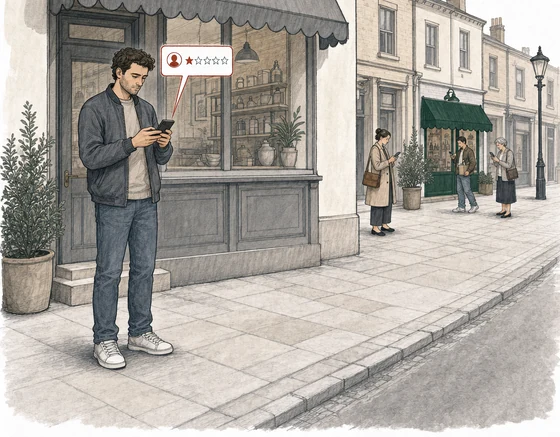
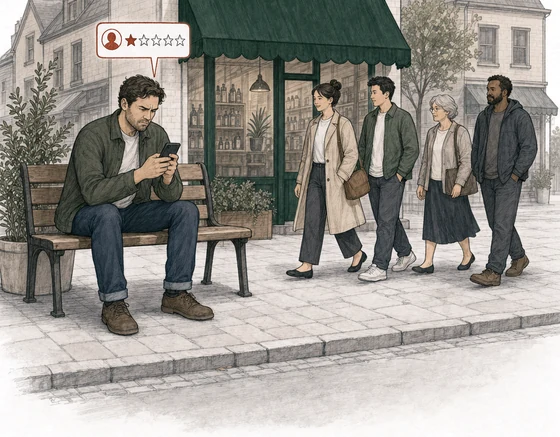
Illustration: a street with a small shop under a green awning. Four people post a review from a phone. Three of the review cards are drawn in red and labelled with what the account poses as: Posed as a real person, a man in a plain coat holding up a lanyard ID badge with someone else's photo; Posed as an official body, a man dressed as an inspector with a clipboard; Posed as the business, a man in street clothes with the shop's green apron pulled on over his coat, while the owner in the same apron stands in the doorway. At the far right, apart, an ordinary customer with a cake box posts a review drawn in plain gray, labelled Unfamiliar name.
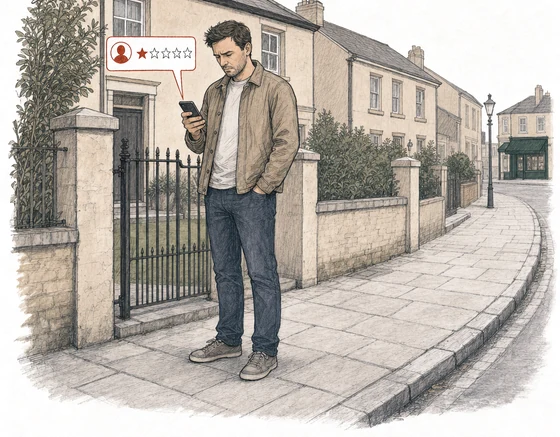
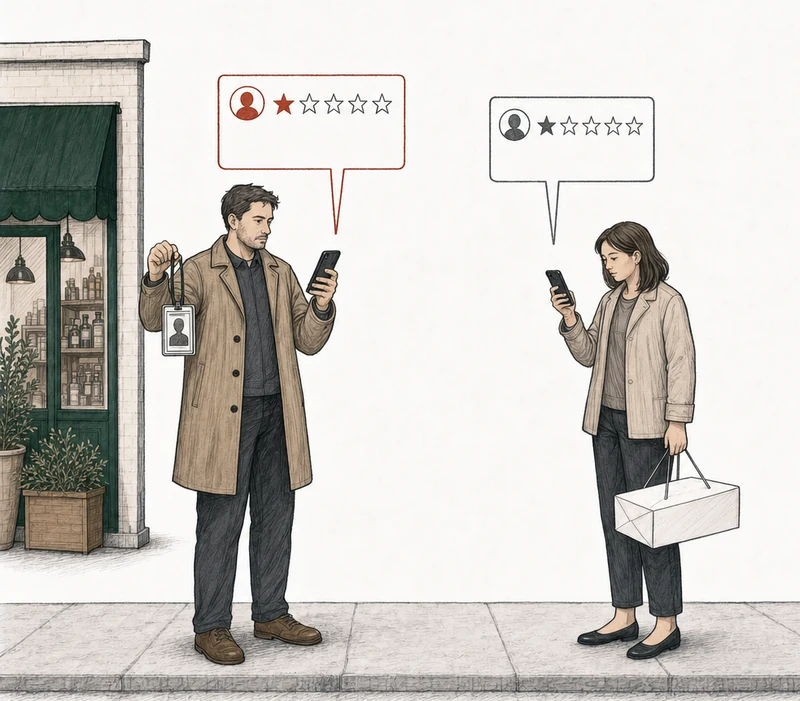
Illustration: two people on the pavement, each posting a review from a phone. At the left, by the green-awning shop, a man in a plain coat holding up a lanyard ID badge with someone else's photo; his review card is drawn in red. At the right, apart from him, an ordinary customer with a cake box; her review card is drawn in plain gray. Labels: Posed as a real person, Unfamiliar name.

The policy reaches the three posing as someone they aren't: a real person, an official body, the business itself. It doesn't reach the customer with a name you don't recognize.

The policy reaches the man posing as someone he isn't. It doesn't reach the customer with a name you don't recognize.

Impersonation is Google's name for a review that poses as someone. A named person who didn't write it. An organization the writer doesn't speak for. A profile dressed up as an inspector or a licensing board. That's what the policy covers. It says nothing about names you don't recognize, because Google lets people review under a pseudonym, so an unfamiliar name on a review is not impersonation.

Two similar reviews. One breaks the policy.

Same trade, same complaint shape, same unfamiliar name on the account. One poses as somebody. The other is a customer.

Breaks the policy

County Food Safety Unit
Strong grounds for removal
★★★★sample

Profile photo is a badge-style crest.

Our unit attended this bakery during a routine inspection and documented several failures in the preparation area. The findings have been recorded and the file remains open. Members of the public should avoid this location until the matter is resolved. Posted on behalf of the inspection office.

ImpersonationPosed as an official body

Breaks it. The account presents itself as an organization, and the text claims official standing.

Doesn't break it

Dana R.
No grounds for removal
★★★★★sample

Ordered a birthday cake for Saturday pickup and waited forty minutes past the time printed on my receipt. When it came out, the writing was for a different name. Staff apologized and remade the message, but we were late to the party.

Does not coverUnfamiliar name

Doesn't break it. It poses as no one and claims no authority, and a name that isn't in your order system proves nothing.

The policy

Impersonation in plain terms

The review has to pose as someone specific. That's the test, and it's the whole test. Either the review presents itself as a person, group, or organization it isn't, or it claims an authority it doesn't hold. Google's profile rules apply the same test to the profile behind it, its name and its photo. The same section allows one thing, a different name, as long as it isn't trying to mislead anyone. That's it. Not whether the review is true. Not whether you can find the writer in your books.

Breaks the policy

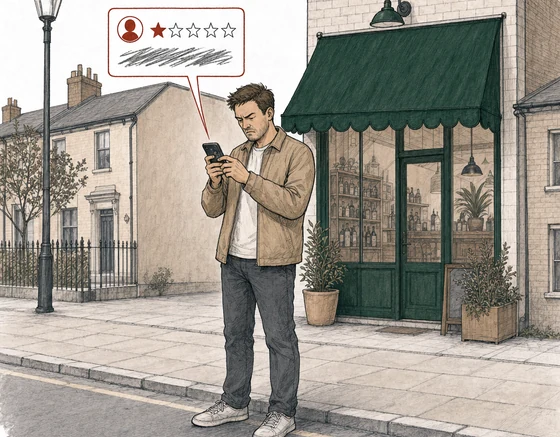
  1. A man outside the shop posts a one-star review while holding up a lanyard ID badge that carries someone else's photo.

    Posed as a real person

    A review posted as a named real person who didn't write it.

    A one-star from an account carrying your longtime customer's name, about a visit she never made.

  2. A man dressed as an inspector, in a dark suit and peaked cap with a clipboard under one arm, posts a one-star review outside the shop.

    Posed as an official body

    A profile presenting as an official body or a verified authority.

    A display name that reads like a health department, with a badge photo to match, and text written as an inspection finding.

  3. A man in street clothes with the shop's green apron pulled on over his coat posts a one-star review a few steps from the shop; the owner, in the same apron, stands in the doorway.

    Posed as the business

    A review written as if it came from your own business, or from a named organization.

    A reply-shaped one-star signed as the owner, posted by someone who isn't.

  4. A customer holding a flat white cake box posts a review, drawn in plain gray; the corner of the shop is behind her.

    Unfamiliar name

    Does not cover

    A nickname, a handle, or a name that appears nowhere in your records. Google allows a different name as long as it isn't trying to fool anyone.

Does yours break it?

What does not count as impersonation?

A name you've never seen. That's the one worth saying out loud.

Google lets people review under a made-up name, and it lets a review call a person or organization by a different name, as long as the review isn't trying to mislead anyone. So an unfamiliar display name is not evidence of anything on its own.

So you search your system, find nothing, and read the empty search as proof. On Google's text it proves nothing, because a pseudonym is allowed. And Google's reporting page asks owners not to flag a review only because they disagree with it or don't like it. Google stays out of disputes between a business and its customers.

No grounds for removal

So an honest negative from a name you can't place is not impersonation, and we won't prepare an appeal for it. When there are no grounds, that's the answer. Also free. If you're staring at a review and can't tell which of these you're holding, that is exactly what the free Google review analysis is for.

Google's wording, unedited

The first clause, the test this page is about. The section's opening line, its second clause and the alternative-names allowance are in the extract.

Content posted or shared seeking to impersonate any person, group, or organization.

The rest of the extract

Using Google Maps to mislead others is against the spirit of delivering useful information to assist users as they explore the world around them. Don’t use Google Maps to impersonate any person, group, or organization.

This includes:

  • Content that is pretending to be a verified authoritative source.

We do allow content that contains alternative names for a person or organization where the content is not attempting to mislead others.

Google, Maps user-generated content policy, Prohibited & restricted content, section Impersonation

Google's policy text captured August 4, 2026. Section headings re-checked against the live page September 3, 2026.

Common questions

  • Is a nickname impersonation?

    No. Google permits pseudonyms in usernames and allows alternative names that aren't attempting to mislead. The policy is about posing as a specific person or organization, or claiming authority you don't have.

  • Can a review posted under a fake name be removed?

    Google decides, and the name by itself isn't grounds. If the account presents as a real person who didn't write it, or as an official body, that's the argument. If it's just a name you can't place, any grounds you have are in a different policy, not this one.

  • Can you report the reviewer's profile as well as the review?

    Yes, and it's a separate flow. Google documents it only in the Maps app on a phone. Google's example reasons there are Legal issue and Privacy concerns, and it says a profile can take several days to assess. The two are separate reports, one for the review and one for the profile.

File it yourself

How do you report a Google review for impersonation?

Two places, and they're separate. You report the review from your Business Profile, and you report the profile behind it from the Google Maps app on a phone. Google documents the profile report only for the Maps app on a phone. You file both yourself. We never submit anything to Google.

  1. Open Read reviews

    In your Business Profile, find the review

  2. Select Report, pick a reason

    The pick can limit what the appeal may argue

  3. Send it, then wait

    Typically several days, Google says.

    Decision pending
  4. If it stays up, the appeal

    Report reviewed - no policy violation

    One per review, ever. You file it.

The report, then the appeal. Drawn by us, not a screenshot of Google.

For the review: open your Business Profile, go to Read reviews, hit Report next to the review, pick a reason, and send it. Google doesn't publish the full menu of reasons. Its help page gives two examples, Spam and Profanity, and you see the whole list when you open the menu.

The advice we can point to is general. Pick the closest match, wait three days, and if the review is still up, appeal it with a lot of detail. That's Stefan Somborac, a moderator on the Local Search Forum. The flag menu has no free-text box, so your first report is a category and no argument at all (Sterling Sky). The argument waits for the appeal. The appeal names a policy too, and a mismatch there can waste the one appeal you get.

For the profile: in the Maps app, open Business, then Reviews, then tap the reviewer's name. In the profile, tap More, then Report, then pick a reason. Google's examples there are Legal issue and Privacy concerns. Screenshot the profile name and photo before you file. Google may remove, restrict, or disable a profile name or photo that breaks its policies, and if it does, your screenshot is what's left to point to. Google says to be patient. A profile can take several days to assess.

  1. Screenshot the profile first

    The name and photo are your evidence.

  2. Open the Maps app on a phone

    Google documents the profile report only for the Maps app on a phone.

  3. Business, Reviews, the reviewer's name

    Then More, then Report

  4. Pick a reason, then wait

    Legal issue or Privacy concerns are Google's examples. Several days, Google says.

The second path, the reviewer's profile. Drawn by us, not a screenshot of Google.

For the review, Google says evaluation typically takes several days, and the Reviews Management Tool shows the status. "Decision pending" means Google hasn't evaluated it yet. "Report reviewed - no policy violation" means Google looked and found none. That's when you get one more move, the appeal, and it's where you finally get to write the argument out.

For impersonation the argument is narrow. Say who the account presents itself as. Show where it does that, in the profile name, the photo, or the review's own words. Then name which half of the policy it matches. Either it poses as a person, group, or organization, or it claims to be a verified authority. Once the appeal is in, the status changes to "Escalated - check your email for updates," and Google emails you the final decision. We walk through appealing a denied Google review report step by step. One appeal per review, ever. Our read is that the policy named has to match the argument. So the filing is the whole job.

What evidence does an impersonation appeal need?

Words, not attachments. The appeal is a free-text form with no upload field, so whatever you have, you write it into the box. For this policy, the evidence is what the account shows about itself: the profile name, the photo, any description, and the lines in the review that claim to speak for someone.

BrightLocal's November 2025 removal guide covers eight kinds of violation and gives lists of evidence for two of them, fake engagement and conflict of interest. Impersonation isn't among the eight, but BrightLocal's general advice still applies.

What goes in the box

  • Be specific, because a person will probably read your argument.
  • Name the violation category and say what it means.
  • And start from the review's own text, because BrightLocal says that's where Google looks first.

The limitBrightLocal adds a caution that matters most in this category. Any evidence that names the reviewer has to match the username on the review, which may not be their real name. You can describe what the profile says about itself, what the review claims, and what your own records show.

Or have us analyze it

How do you check whether a review matches Google's impersonation policy?

Put in your business name and we'll analyze every bad review on the profile against Google's written review policies, not this one alone. A review that feels like impersonation can turn out to have its grounds somewhere else, in fake engagement or personal information. A mismatch between the category and the argument can waste the one appeal you get.

We read reviews at 2★ and below that carry at least ten characters of text, and each one comes back with a verdict: strong grounds for removal, possible grounds, or no grounds. About six in ten profiles we analyze have no review with grounds for removal. We say so plainly, with a reply playbook attached. You'll find the count in what the analysis has produced so far, and how we decide whether a review has grounds covers how we measured it. Where there are grounds, what the free analysis does walks through what we prepare and what you file.

No email. No account. The answer is free either way.

Each review comes back with one of three:

Strong grounds for removalPossible grounds for removalNo grounds for removal

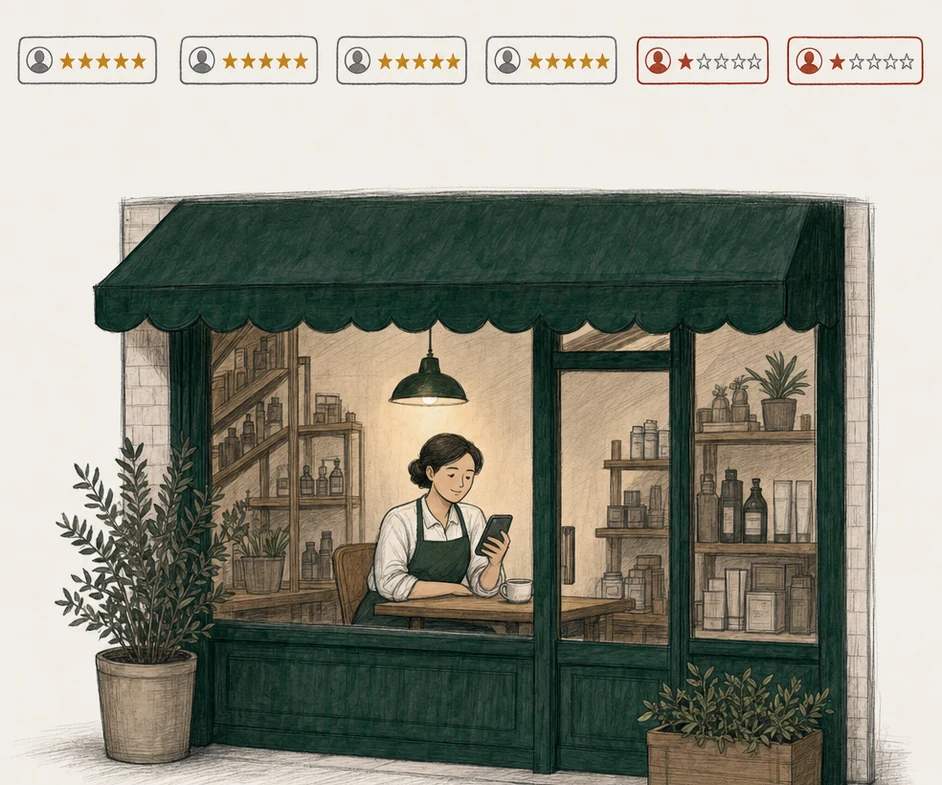
The shop owner sits at a table inside the shop after closing, reading her phone. Above the shop floats a row of six review cards: four with five gold stars, two one-star cards drawn in red.

Which other Google review policies could apply?

Usually one of three. When the review didn't pose as anyone specific, one of them is the stronger argument. Fake engagement in Google reviews is the section for a review with no real visit behind it, or a run of them posted from several accounts by one person. Where a competitor, a former employee, or someone close to you wrote it, Google's conflict-of-interest clause names that relationship outright. And if the problem is that the review published a real person's name or details without consent, that's Google's personal information policy, whether or not anyone was posed as. That's also the page to read if a review turned up under your own name. We collected the ten sections these pages cover in Google's review policies, in Google's words.

RatingMinder