Guides/Remove a bad Google review
How to remove a bad Google review. What Google removes, and what it won't.
Reviewed by Doug Baker, founder · Updated September 24, 2026 · Policy text snapshot August 2026

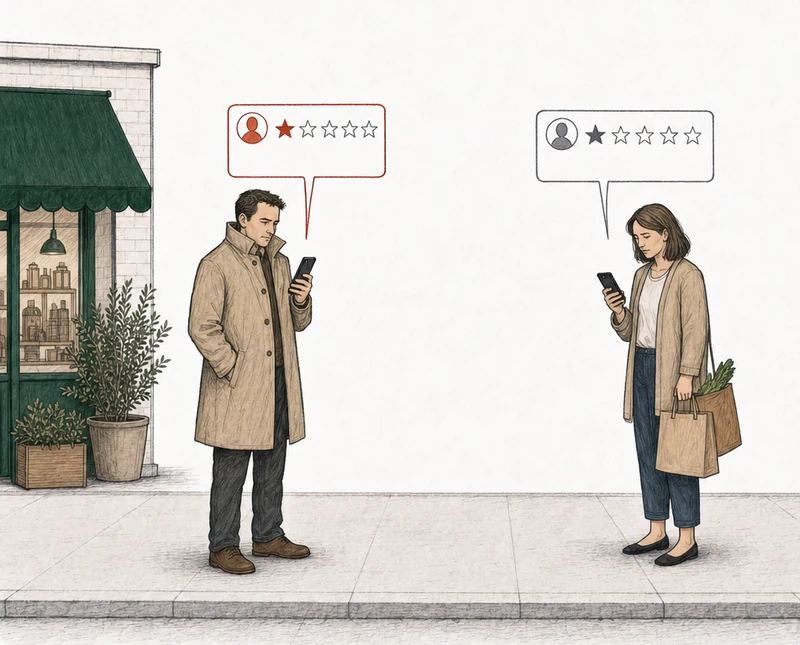
Four one-star reviews. Two break a Google policy. Two don't.
Two one-star reviews. One breaks a Google policy. One doesn't.
How do you remove a bad Google review?
Someone left a one-star on your profile this week and you want to know whether it comes down. You can't delete it yourself. You report it, Google decides, and if Google declines you get one appeal. A report can only lead to removal when the review breaks one of Google's policies, and Google's help page says so in one line.

The line, from Google's help page for owners.
You can report any review, but only those that violate Google policies are eligible for removal.
Google Business Profile Help, Report inappropriate reviews on your Business Profile, section Understand which reviews to report for removal
Google's help text captured August 4, 2026.
So the first question isn't how to report. It's whether this particular review breaks a rule. Bad, unfair, and one-star are not rules. If yours doesn't break one, a report has nothing to argue, and there's still something to do about it, further down.
Does yours qualify?
Which bad Google reviews does Google actually remove?
Through a report, the ones whose content breaks a published policy. A one-star isn't one. Google's policy for reviewers says it allows negative experiences described respectfully (Google's prohibited and restricted content policy).
And it tells owners the same thing about the flag button.
Do not report a review just because you disagree with it or dislike it.
The rest of the extract
Google doesn’t get involved in conflict between businesses and customers.
Google Business Profile Help, Report inappropriate reviews on your Business Profile, section Understand which reviews to report for removal
That's worth knowing before you spend anything on it, and it's worth stopping to check a Google review for grounds for removal first.
What does break a rule is narrower than most owners expect, and it lives in the policy categories Google enforces. Off-topic content, fake engagement, harassment, offensive content, personal information, and obscenity are among them. Take two reviews that sting the same. "Waited two hours past my appointment and they still charged me full price" is a bad day, written plainly, and Google keeps it. "The owner is a thief who steals from old people" accuses a person of a crime with nothing behind it, and Google's offensive content policy covers exactly that, an accusation of wrongdoing that nothing backs up. A review that threatens to hurt someone or posts where they live falls under a different policy, harassment in Google reviews.
Then there's the review from someone with no record of ever walking in.
Google's policy tells contributors to write from their own experience of the place.
Only post content that is based on your experience or questions about experiences at a specific location.
Google's prohibited and restricted content policy, section Off-topic
Put that sentence next to your own records and you have the argument. That's Google's off-topic rule. The word "fake" isn't the argument. The fact that they were never in your books is.
Or have us analyze it
How do you check whether a review has grounds for removal?
We analyze every negative review on your profile against Google's written policies and tell you which ones have grounds and which ones don't, which is how we prepare your appeal. Where there are grounds, we prepare the appeal and you file it from your own profile, because we never submit anything to Google and nobody here logs into your account. One review is $249. The review gets removed, or your fee gets refunded. Every review with grounds from that analysis is $349 for all of them together, and the promise covers them as a group. If Google removes none of these reviews, the $349 is refunded. The appeal fee only, never subscriptions. Monitoring is $39 a month (appeal and Monitoring prices). Prices are per Business Profile, not per account.
No email. No account. The answer is free either way.
Each review comes back with one of three:
Strong grounds for removalPossible grounds for removalNo grounds for removal

File it yourself
What should you capture before you report a bad review?
Screenshot the review with the date it appeared, the reviewer's public profile, and their contribution history, then search your own records for the name. Do it before you file, not after. TrueReview's removal guide (read 2026-08-04) warns that on a fake review, the reviewer's profile and the accounts linked to it sometimes disappear within days of it posting. Your evidence goes with them.
Keep the records search even when it comes back empty. Especially then. A no-match screenshot comes from your own records, and WiserReview (read 2026-08-04) calls it the strongest single piece of evidence you can submit.
One more. "Never a customer" is not a Google violation by itself. It's the evidence underneath a different argument. Nobody has to be a paying customer to leave a Google review. What you have to show is a deliberate attempt to manipulate your rating, which is fake engagement. That's how BrightLocal's removal guide (updated November 2025) puts it. If the person worked for you rather than bought from you, the records are different and reviews from former employees covers which ones to keep.
What to save before you report
- The review. A screenshot with the date it appeared.
- The reviewer's profile. Their public page, as it stands today.
- Their contribution history. What else they've reviewed, and where.
- Your records search. The result, even when it comes back empty.
- The policy sentence. The one line of Google's you'd point to.
How do you report a bad review to Google?
Google's help page for owners describes two paths. We never submit anything to Google, so either way the report is yours to file. Anyone can also report a review from Google Maps, on the web or in the app (Google's Report or Fix Content help page).
Open your reviews
Read reviewsIn your Business Profile, find the review.
Report the review
ReportThe report option sits next to the review.
Pick a reason
Pick the reason that matches the policy you'd argue.
Send it, then wait
Send reportGoogle says evaluation typically takes several days.
Open the tool
Confirm your email and select your business.
Find the review
ReportStart a new report and select the review.
Pick a reason
The menu opens in a new tab, with the same choice to make.
Submit it
SubmitCome back to the same tool to check the status.
Both paths stall at the same step, picking the reason to flag the review. Google's help page gives two of the menu's options as examples, spam and profanity, and names no others. Anyone showing you a complete menu is showing you their own list. Write down the one policy sentence you'd point to before you open that menu. The appeal names a policy category, and a mismatch can waste the one appeal by presenting the wrong policy argument. Our read is that the reason you pick now should be the argument you'd make then. Which reason fits which complaint is its own page, which report reason to choose.
How do you check the status of a review you reported?
In the Reviews Management Tool, where your report carries one of three published statuses. Google says evaluation typically takes several days, and that you check the status in that tool (Google Business Profile Help).
Still waiting
Decision pendingThe report is in, but Google hasn't evaluated it yet.
The appeal opens
Report reviewed - no policy violationGoogle kept it, so decide whether to spend the one appeal.
Watch your email
Escalated - check your email for updatesThe appeal's answer comes by email, not in the tool.
The Google Maps app has its own Reports section, which lists the reviews you've reported and gives each one a status. One of those statuses is "Content not removed", and Google gives two reasons for it: your account has been restricted, or Google didn't have enough information to support the removal (Google's Report or Fix Content help page). Beyond those several days for a report, Google publishes no timeline, and for appeals it publishes none at all. The statuses in full are in our guide to getting a Google review taken down.
What happens if Google finds no policy violation?
An appeal opens, and you get one.
Google puts it in one line.
If a flagged review doesn’t qualify for removal, submit a one-time appeal.
Google Business Profile Help, Report inappropriate reviews on your Business Profile, section Submit a one time appeal of a review
You go back into the tool, open the appeal options, and pick what you want to appeal. You can pick up to ten reviews at a time. A form opens in a new tab, you fill it in and submit, and the answer comes by email. If Google finds the review breaks its policies, Google removes it. If not, it stays up.
One appeal per review, ever. There is no second attempt, so the argument has to be right the first time. The form is free text with no upload field, which means every screenshot you took has to be described in words rather than attached. How to write those words is the one appeal each review gets.
When there are no grounds
What if the review is bad but doesn't break a Google policy?
Then a report won't move it, and it's better to know that now than after you've spent the appeal. Google doesn't remove a review for being bad or negative. A report can only lead to removal when the words in the review break one of Google's policies. A review can feel unfair and still sit inside the rules, as long as it describes a real experience respectfully. Filing it anyway spends that review's one shot on an argument the form never asked for.
What's left is smaller than removal and still worth doing. Fix whatever in the review is real, because it was a complaint before it was a rating. Reply in public the way you'd talk to the person across the counter, answering the substance and accusing nobody of lying. That's how to reply to a review with no grounds. And the reviewer keeps their own edit and delete controls, so a review that breaks no policy can still come down that way (Google's Report or Fix Content help page). If you do contact them, offer nothing. Google doesn't allow merchants to offer payment, discounts, or free goods and services in exchange for the revision or removal of a negative review (Google's prohibited and restricted content policy), and an offer that gets screenshotted is a second problem on top of the first.
What to do about a review that breaks no policy
- Fix what's real. The complaint came before the rating.
- Reply in public. Answer the substance and accuse nobody of lying.
- Leave the delete to the reviewer. They can edit or delete it, and you offer nothing for it.
- Watch for the next one. Analyze it when it lands.
If a review has no grounds, I'd rather tell you that than take a fee for an appeal that fails. When there are no grounds, that's the answer. Also free.
Can you remove negative Google reviews just for being negative?
No. You cannot remove negative Google reviews for being negative, and neither can anyone you pay. Google removes content that breaks its policies or its Terms of Service, or to meet legal obligations, and negative is none of those (Google's Maps user-generated content policy). Three situations don't fit these steps.
One, a demand attached to the reviews. Google's own article describes the pattern: a sudden run of one- and two-star reviews, then someone demanding money, goods, or services to take them down (Report negative review extortion scams on your Business Profile). That goes to Google's extortion report path, not the flag button, and our guide to review extortion walks through it. Two, a review that looks invented. You argue that one from your records and the reviewer's profile, not from the word "fake", and removing fake Google reviews walks through it. Three, if what you want is the whole machinery instead of today's steps, that's the full Google review removal guide.
Some reviews also come down with nobody reporting them. Google says it uses people and machine-learning systems to find content that breaks its policies (Google's Maps user-generated content policy), and automated spam detection to remove reviews it identifies as spam (Google Business Profile Help). Google also says that system sometimes removes a legitimate review by mistake.
Common questions about removing bad reviews from Google
Can you remove negative Google reviews yourself?
No. You can't delete a review on your own profile, so you report it. Google can remove it, and the reviewer can edit or delete it any time. The flag button asks Google to look, with no argument attached.
How long does it take to remove a bad review from Google?
Google says report evaluation typically takes several days (Google Business Profile Help), and it publishes no timeline for the appeal. BrightLocal says the appeal option opens after three days even if the report's decision is still pending, which is practitioner guidance and not a commitment from Google. Owners on the Local Search Forum have posted about reports sitting in Decision pending for weeks or months. Those are individual accounts, not a rate.
Do review removal services remove bad reviews from Google?
No service removes a review. Google does, or the reviewer does, so anyone selling "guaranteed removal" is selling something they don't control. Joy Hawkins of Sterling Sky documented a reputation firm that used a false DMCA claim to get a forum thread pulled from Google's search results, and the thread later showed up in Google again (Sterling Sky). The analysis is free. What we sell is the appeal we prepare for you to file, and you can read how the pilot was measured before you decide it's worth paying for. Nothing is behind a call.