Guides/Report a Google review
How to report a Google review. Pick the reason that names the policy.
Reviewed by Doug Baker, founder · Updated September 23, 2026 · Policy text snapshot August 2026

Four one-star reviews. Two match the reasons Google gives as examples. Two break no policy.
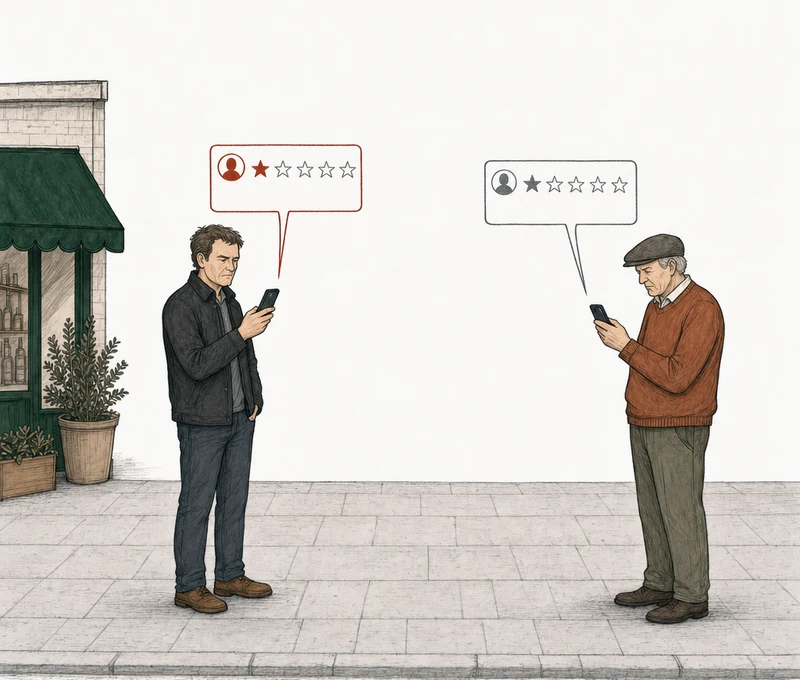
Two one-star reviews. One matches a reason Google gives as an example. One breaks no policy.
How do you report a Google review?
Select Report next to the review, pick a reason, and send it. Google says it typically decides in several days. You can report any review, but a report can only lead to removal when the review breaks one of Google's policies, and Google says that in its own help page.

The line, from Google's help page for owners.
You can report any review, but only those that violate Google policies are eligible for removal.
Google Business Profile Help, Report inappropriate reviews on your Business Profile, section Understand which reviews to report for removal
Google's help text captured August 4, 2026.
The step that matters is the reason. Google's help page gives two of the options as examples, Spam and Profanity, and doesn't publish the rest of the menu. So nobody can hand you Google's list, and we won't pretend to. A review doesn't come down because you reported it. It can come down only when the review breaks one of Google's policies, so the reason you pick should point at that policy.
Pick the reason
Which reason should you pick when you report a Google review?
Pick the one that names the policy the review breaks. Before you open the menu, write down the one sentence of Google's policy you'd point to. Then find the reason that matches it. If nothing on your menu matches, pick the closest one and plan to name the exact policy in the appeal.
The reason carries more weight than it looks like it should. Sterling Sky's removal guide (updated January 2025) points out that the report form has no box to explain yourself. Google sees the review and the reason you picked. That's the whole argument.
The reason step, as Google's help page prints it.
Examples: “Spam” or “Profanity”
The rest of the extract
Select the reason to flag the review.
Google Business Profile Help, Report inappropriate reviews on your Business Profile
Take two reviews that both mention another business. "Better prices at this place, here's the link" is an ad posted as a review. Google's policy doesn't allow links to other websites in a review, and Spam is the reason Google names itself. That's spam in Google reviews. "Went to the shop down the street instead, half the price" is a customer's opinion of a real visit. It mentions a competitor, but no policy covers it. The same goes for profanity. A review that is mostly curse words falls under Google's obscenity and profanity policy. A review with one angry word in it is a different call.
Past those two, the menu gets murky. Members and moderators on the Local Search Forum have posted what their menus showed. In June 2025, Tim Colling, a moderator there, used a reason called Low quality information. He was reporting, for his clients, favorable reviews that competitors' employees had left on the competitors' own profiles. Moderators in the same thread found a Conflict of interest reason in some accounts that month and not in others. Menus differ by account, and they change. The lists you'll find elsewhere don't agree with each other either.
The report reasons with a source
- Spam. One of the two examples on Google's own help page.
- Profanity. The other example on Google's own help page.
- Low quality information. keyserholiday, a forum member, quoted it on June 5, 2025, with its description, "Review is off-topic, contains ads, or is gibberish or repetitive." Tim Colling, a moderator, reported under it that month. Local Search Forum, thread 62516.
- Conflict of interest. Moderators Tim Colling and Stefan Somborac found it in some accounts in June 2025 and not in others. Same thread.
- Not helpful. Stefan Somborac saw it as a Maps user on June 17, 2025, and not in the Reviews Management Tool. Same thread.
- Off-topic. Whitespark's guide selected it in October 2024, described as "Review doesn't pertain to an experience at or with this business."
- Everything else. We found no other name with a source. Pick the closest match your menu shows and name the policy in the appeal.
This is our read of what has been published, not Google's menu. Google doesn't publish one.
When none of your options fit the policy you wrote down, pick the closest one. A moderator on that forum, Stefan Somborac, gave the same advice: pick the closest match at the flag stage, wait three days, then appeal with lots of detail. He said it to Tim Colling, a fellow moderator, in the same thread on June 16, 2025. His reason was that the appeal is where you get to name the specific policy the review breaks.
Why does the reason matter if there's an appeal later?
Because you get one appeal per review, ever, and it has to argue the right policy. Our read is that the reason you pick now should be the argument you'd make then. The appeal names a policy category, and a mismatch can waste the one appeal by presenting the wrong policy argument.
People who do this for a living disagree on whether the menu choice binds the appeal. TrueReview (May 2026) says appeals are evaluated against the category you originally picked. Somborac, in the thread above, says the appeal is where you name the specific policy. Google's help page doesn't say either way. Picking the reason that names your policy works under either view.
The report and the appeal work differently. Anyone can file a report, and as Sterling Sky notes, all it tells Google is the reason you picked. The appeal comes after the report, you fill it out in your own words, and you get one.
Google's help page for owners, on the appeal.
If a flagged review doesn’t qualify for removal, submit a one-time appeal.
Google Business Profile Help, Report inappropriate reviews on your Business Profile, section Submit a one time appeal of a review
So the menu doesn't hold the real decision. The policy sentence does. Get that right and both the report and the appeal argue the same thing. Get it wrong and the appeal argues the wrong policy, and there's no second one. That's why it's worth taking the time to find out whether the review has grounds for removal first.
Or have us analyze it
How do you find out whether the review has grounds for removal?
When we prepare an appeal, we tell you which policy it argues and which reason sits closest to that policy on the menu. If your menu shows a closer match, you pick that one. You file the report yourself, because we never submit anything to Google. That's how the analysis and the minding work.
No email. No account. The answer is free either way.
Each review comes back with one of three:
Strong grounds for removalPossible grounds for removalNo grounds for removal

File it yourself
How do you report a Google review in the Reviews Management Tool?
Open the tool, confirm your email, pick your business, start a new report, and select Report next to the review. The reason menu opens in a new tab. Pick your reason and submit. You can also report straight from your Business Profile under Read reviews, where Google gives the same two examples (Google Business Profile Help).
Open the tool
Confirm the email tied to your Business Profile, then select your business.
Start a report
Report a new review for removalFind the review and select Report next to it.
Pick the reason
It opens in a new tab. Pick the one that names the policy you wrote down.
Submit it
SubmitGoogle says evaluation typically takes several days.
You check the result in the same Reviews Management Tool. Our step-by-step guide to a bad Google review covers each status and what it means for you. The appeal doesn't always wait for a decision. BrightLocal (updated November 2025) says the appeal option opens three days after the report, even while it still shows Decision pending. That's their observation, not a promise from Google.
The appeal form is free text with no upload field, so you argue the policy you picked at the report step in words. How to write that argument is in what happens after a report is denied.
Can someone else report the review, and does it help?
Anyone can report a review from Google Maps, on the web or in the app, by filling out Google's form. The Maps app tracks those reports in a Reports section (Google's Report or Fix Content help page). But Google publishes no report count that triggers anything.
Google says its automated models and trained operators evaluate content against its policies (Google's Maps user-generated content policy). It never mentions a tally. One status in the Maps app, "Content not removed," gives two causes: the reporter's account is restricted, or Google didn't have enough information to support the removal. So nothing Google publishes says it helps to ask friends and staff to report the review. Each of them just files one more report, and Google still judges the review against the same policies.
You can also report the reviewer's profile. That's a separate report, about the account, not the review. Google only documents it in the Maps app on your phone, and it has its own reason menu. Legal issue and Privacy concerns are the examples (Google Business Profile Help). Only report a profile when the profile's own content breaks policy. Google says a profile can take several days to be assessed (Google's user profile help page).
When no policy fits
What if the review is unfair but breaks no policy?
Then there's nothing to report. If you can't find the policy sentence, the menu won't find it for you. Google tells owners not to report a review just because they disagree with it or dislike it.
Google's instruction to owners, on the same help page.
Do not report a review just because you disagree with it or dislike it.
The rest of the extract
Google doesn’t get involved in conflict between businesses and customers.
Google Business Profile Help, Report inappropriate reviews on your Business Profile, section Understand which reviews to report for removal
Google's offensive-content section says it allows negative experiences described respectfully (Google's prohibited and restricted content policy). A negative review of a real visit, told respectfully, sits inside the rules. Reporting it anyway with the nearest-sounding reason sets up an appeal with nothing to argue, and that review only gets one. If you've been thinking of this as disputing a review, what disputing a review actually means walks through the same question in those words.
We analyze every bad review on a profile against Google's written policies. Where one has grounds, we prepare the appeal and you file it. Where there are none, we tell you, and you can read how our analysis is measured before you trust it.
If no policy fits, I'd rather tell you now than prepare an appeal that fails. When there are no grounds, that's the answer. Also free.
What should you never do at the report step?
Don't offer the reviewer anything to change or delete it. Google's fake engagement policy says a business can't offer payment, discounts, or free goods or services to get a negative review changed or removed (Google's prohibited and restricted content policy). An offer like that is its own violation.
Before you pick a reason
- Don't report it because it stings. Google's own instruction.
- Don't pick a reason you can't back with a policy sentence. Our read is that the appeal should argue that same policy.
- Don't recruit other reporters. Google publishes no report count, and a restricted account is one cause Google gives for "Content not removed."
- Don't offer the reviewer anything. Google lists it as a violation.
- Don't use the menu for a demand. Extortion goes to its own form.
If a demand for money, goods, or services came with the reviews, Google has a separate path for it. It runs a merchant extortion report form and asks for screenshots of the communications as evidence (Report negative review extortion scams on your Business Profile). That's Google's extortion report path, which our extortion guide walks through, and Google's article tells you not to engage with or pay the people making the demand. If the reviews look manufactured rather than extorted, the evidence you need is its own problem, in how to remove fake Google reviews.
Common questions about reporting a Google review
Does the reviewer find out you reported their review?
Google doesn't say. Neither of its help pages on reporting reviews mentions telling the reviewer, or naming who filed the report.
How many reports does it take to remove a Google review?
No number that Google publishes. Google describes evaluating content against its policies, not tallying flags (Google's Maps user-generated content policy). What it weighs is whether the review breaks a policy. A second report isn't a second appeal either. The whole sequence is in Google review removal, start to finish.
What happens after you report a Google review?
Google checks the review against its policies and says that typically takes several days. Its help page says flagged reviews that break a policy are removed. If yours stays up, you get one appeal. People on the Local Search Forum have described reports sitting longer. On July 8, 2025, tri_sarah_tops, a small-business owner, posted that a conflict-of-interest report had sat at Decision pending for almost two months. In June 2025, another member, keyserholiday, posted that reports filed in March were still pending. Those are individual accounts, not a rate.
Does Google publish a list of report reasons?
No. Its help page gives Spam and Profanity as examples and stops there. What Google does publish is the policies themselves, and those are what a reason has to point at. They're collected in the policy categories, in Google's words.