RatingMinder/Google reviews for business owners
Google reviews for business owners. What you can do about a bad one, and the guide for each question.
Reviewed by Doug Baker, founder · Updated September 23, 2026 · Policy text snapshot August 2026

Five one-star reviews. The four red ones each have a guide at the foot of this page. The gray one is a real visit, and no policy covers it.
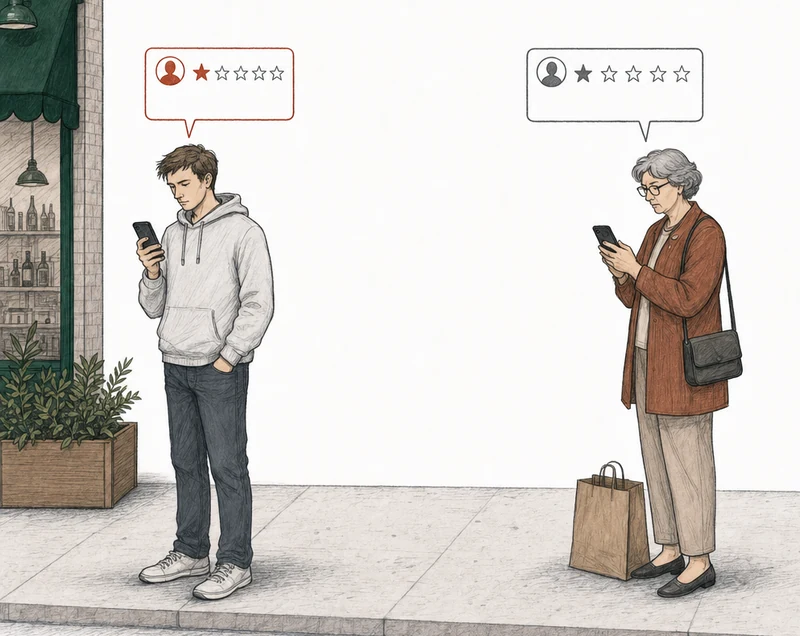
Two one-star reviews. The red one breaks a Google policy. The gray one is a real visit, and no policy covers it.
Each red card in the picture is a kind of review you can take to Google, and each one has its own guide. One isn't based on any real experience of the business. One is a string of curses. One came from someone who used to work there. One was posted as part of a demand for money. The gray card is a customer who waited too long and said so. That one stays up, and it should.
What can a business owner do about a Google review?
You can reply to it and you can report it. You can't delete it. The control next to a review on your profile is Report, and Google decides what happens after that. Only the person who wrote a review can edit or delete it.
Google takes a review down when it breaks one of its policies, and it uses people and machine learning together to find the ones that do (Google, Maps user-generated content policy). If Google looks at your report and finds no violation, that review gets one appeal, ever.

Google's help page for owners puts the rule in one line.
You can report any review, but only those that violate Google policies are eligible for removal.
The rest of the extract
Flagged reviews that violate our content policies are removed and will no longer show on Maps and Search.
Google Business Profile Help, Report inappropriate reviews on your Business Profile
Google's help text captured August 4, 2026.
So whether the review was fair never comes into it. Google doesn't remove reviews on "unfair." It removes them on policy. Our guides on removing and reporting a review, and on the special cases, are at the bottom of this page. They all start from the same question: does your review break a rule?
Does yours break a rule?
Can this Google review be removed?
If you report it, Google removes it only when it breaks one of Google's policies, and most bad reviews don't. A real customer's bad visit, told respectfully, is allowed, even when you think they got it wrong.
Google tells owners that directly.
Do not report a review just because you disagree with it or dislike it.
The rest of the extract
Google doesn’t get involved in conflict between businesses and customers.
Google Business Profile Help, Report inappropriate reviews on your Business Profile
That doesn't mean you should never report a review. It means you report the ones that break a rule, and you know which rule before you do. A review from someone with no real experience of your business can break one. So can a threat, or a review from a competitor. A long wait told plainly can't. Before you use the one appeal, find out whether your review can be removed. It's free, and every guide below starts from that question.
A review can come down other ways too. The reviewer can delete it. And Google takes reviews down when the law requires it. Its policy page says so. Google review removal, explained walks through every route in one place.
When there are no grounds, that's the answer. Also free. We'll tell you which reviews those are and show you how to reply to them instead.
Know the rules
What do Google's review policies actually say?
The rules are one document, Google's Maps user-generated content policy. The part that matters to you is the page called Prohibited & restricted content. It lists the kinds of content Google won't allow on Maps, among them fake engagement, off-topic content, harassment and impersonation, and a review either contains one of them or it doesn't.
Google wrote it for everyone who posts on Maps, not for business owners, and it's long. So we wrote the Google review policy reference. It covers ten of Google's policies in plain words, with what isn't a violation said just as plainly. Each policy has its own page, with one review that breaks it and one similar review that doesn't.
File it yourself
How do you report or appeal a Google review?
It's two steps, in that order. First you report the review, from your Business Profile or from Google's Reviews Management Tool, and pick a reason. If Google decides the review breaks no rule, the tool marks your report as reviewed with no policy violation. At that point the review gets its one appeal, and there's no second try after it.
The appeal names a policy. If that policy doesn't match your argument, it can waste the one appeal. The form is free text with nowhere to upload anything, so the argument has to stand on its words. That's why the reason you pick at the report step matters. It's also why we'd rather tell you a review has no grounds than prepare an appeal with nothing behind it.
We never submit anything to Google. You file the report and the appeal from your own profile, and nobody here logs in as you. The three reporting guides at the foot of this page take each step in turn.
When it isn't an ordinary review
What if the review is a special case?
Some reviews have a route of their own. Google's policy treats a review from a former employee as a conflict of interest, and that argument needs its own evidence. When someone demands money to take a review down, it goes to a separate extortion report that Google runs for businesses, not the normal report. A review that disappeared by itself was usually removed, and there are a few other reasons it can happen. And whether you can switch reviews off altogether has a guide of its own. Each has a guide in the list at the bottom of this page.
If you run a dental practice, a veterinary clinic or a personal injury firm, start with the guides by practice. For a dental practice that HIPAA covers, it limits what the practice can disclose about a patient in a reply (45 CFR 164.502(a)). It has no say over which reviews Google removes. Google's policies decide that.
Getting help
What does help with a Google review cost?
The analysis is free, and so is the answer when a review has no grounds. Where a review does have grounds, we prepare the appeal and you file it. That's $149 for one review, or $199 for every review with grounds from that analysis. Monitoring is $39 a month. We mind the profile and send you each new bad review with its verdict already attached. Everything is priced per Business Profile, and what an appeal and Monitoring cost has the detail.
The review gets removed, or your fee gets refunded. The appeal fee only, never subscriptions. That's our appeal guarantee. Every step from the analysis to your filing is in how RatingMinder works.
Other firms offer help with reviews too. If you're comparing, choosing a Google review removal service covers what they publish about price and how to vet one.
Common questions about Google reviews
Can a business turn off Google reviews?
Not with anything we can find. On your profile, the control next to a review is Report, and Google decides. Google's guide to its review API lists reviews and lets you post or delete your own reply, and none of that turns reviews off (Google Business Profile APIs). The guide to turning off Google reviews covers the rest.
Why did a Google review disappear?
Usually because it was removed. Google's spam detection takes some reviews down without anyone reporting them, and Google says it sometimes removes a legitimate one by mistake. If that happened to one of yours, contact Google support (Google Business Profile Help).
Do business owners get notified of Google reviews?
Yes, if the alert is on. It's the Customer activity alert, under More > Notifications on your Business Profile, and Google's Manage your notifications page says it can reach you by email, in Search, or in Maps. The alert tells you a review arrived, not whether it breaks a policy. With Monitoring we check your reviews daily and analyze new negative reviews when we find them, so you get that answer too.
Can anyone guarantee a bad review comes down?
No. The reviewer can delete a review, and Google removes one for breaking a policy or its Terms of Service, or because the law requires it. Nobody else can take it down, so anyone selling "guaranteed removal" is selling something else. What we guarantee is the fee, and that's covered above.
Or have us analyze it
How do you check your own reviews against Google's policies?
Put in your business name and we'll analyze every bad review on the profile against Google's written policies. That's every review of 2★ and below with at least ten characters of text. You get a verdict on each one, free. About six in ten profiles we analyze have no review with grounds for removal. We say so plainly, with a reply playbook attached. How the analysis is measured explains the method, and RatingMinder's published numbers print every count with its date.
No email. No account. The answer is free either way.
Each review comes back with one of three:
Strong grounds for removalPossible grounds for removalNo grounds for removal

Which guide answers your question?
If you want to know whether a review can come down at all, start with the first group. It covers what to do the day a bad review lands, how to reply when there are no grounds, and how the average moves. If the review looks fake, open the fake-reviews guide. It names the four policies such a review usually trips.
If you've already reported a review, or Google turned your report down, the reporting guides pick up from there. The special cases include the former employee, the money demand, the review that disappeared, and whether reviews can be turned off.
Can it be removed?
- Can this Google review be removed?the free analysis that reads your reviews one at a time for grounds.
- Remove a bad Google reviewwhat to do, in order, the day a bad review lands, including when there are no grounds.
- Get a review taken downwho can actually take a review down, and how you would know it worked.
- Remove fake Google reviewsthe four policies a review an owner calls fake usually trips, and the evidence each needs.
- Improve your Google ratingthe arithmetic of the average, and the reviews Google removes.
- Respond to a bad Google reviewwhen a review has no grounds for removal, the public reply is what you have, and how to write it.
- Google review removal toolswhat each kind of tool does, who presses submit, and the free analysis.
Report and appeal
- Report a Google reviewwhich reason to pick at the report step, and why it should match what your one appeal will argue.
- Dispute a Google reviewGoogle has no dispute button, so this is the report, the statuses, and the one appeal.
- The one appealhow to file the one appeal a review gets, why appeals get denied, and what is left after a denial.
Special cases
- A former employee wrote ita review from a former employee, which Google's policy says can be a conflict of interest, and the evidence that argument needs.
- Review extortionGoogle runs a dedicated merchant extortion form; what to capture first, and what happens after you file.
- Reviews not showing upa review that disappeared is usually a removal, sometimes a policy check still running or a profile with reviews disabled, and this sorts out which.
- Turning reviews offwhether an owner can turn Google reviews off, and what is available instead.
- A competitor wrote ita review from a competitor, which Google's policy calls a conflict of interest, and the evidence that argument needs.
- They were never a customera review from someone with no record of a visit, and when Google reads it as fake engagement.
- Review bombinga sudden run of one-star reviews, what Google does about it, and which form to file when a demand comes with it.
- A defamatory reviewa review that accuses you of something, the two ways Google lets you report it, which of those reviews a policy report covers, and what stays a lawyer's question.