Special cases/Review extortion
Google review extortion: what to do, step by step
Reviewed by Doug Baker, founder · Updated September 23, 2026 · Policy text snapshot August 2026

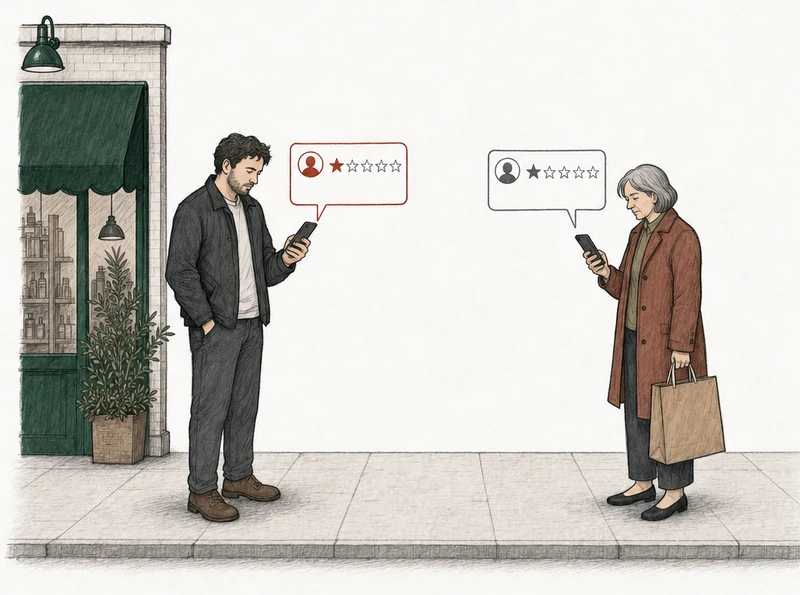
Google's extortion form covers the three reviews that came with the demand. It doesn't cover the customer's review from last month.
Google's extortion form covers the review that came with the demand. It doesn't cover the customer's.
Don't pay, save every message, and file Google's merchant extortion report form. That's the order. Google calls extortion scams a serious policy violation, and it runs this form for them, separate from the flag button on a review. The pattern Google describes is a sudden run of one- and two-star reviews, then someone asking for money, goods, or services to take them down.
Google describes one shape: the reviews land first and the demand comes after. The other shape is a message threatening reviews unless you pay or hand something over, with nothing posted yet. Both are covered below. A run of one-stars with nobody asking for anything is a different problem, with a different filing.
Before you file
What should you do first when the extortion starts?
Stop and collect. Before you reply to anything, screenshot every message and copy a link to every review. Google's help page on extortion says to gather the evidence right away, because the sooner you have it, the better your report.
Then don't pay, and don't negotiate. Google says that plainly. Paying can invite more attempts, and it doesn't mean the reviews come down. Google also tells owners not to try to settle it themselves with money or services.
It feels like an attack, and it is one. But Google doesn't remove reviews for being malicious. It removes them for breaking a policy, and extortion breaks one. Your screenshots are how Google sees that it does.
Should you reply to the reviews before you report?
No. Hold the reply until the form is filed. One poster on the Local Search Forum's 1-star review extortion thread says the sender gets notified of any reply. A reply tells them you want the reviews gone, and that's their cue to offer to "help remove them." That's one poster's experience, not Google's rule. Waiting costs you nothing.
What evidence does Google's extortion form need?
Four things, and Google lists them on its help page.
- A screenshot of every demand. Email, WhatsApp, Telegram, Instagram, a text. Google asks that each one show the date, the time, and how the sender reached you, as far as you can.
- A direct link to each review you think is part of it.
- Anything that identifies whoever made the demand. Names, usernames, email addresses, phone numbers, social profiles.
- When you first noticed the reviews, and when the first demand arrived. Date and time for both.
If this has happened before, write that down too. Google asks for any history of similar attempts.
As of September 2026, the form won't send without at least one file attached, and it takes PNG, JPG, JPEG and PDF. Your screenshots are that file. Saving everything before you report anything is also the first step in how appeal preparation works.
File it yourself
How do you report review extortion to Google?
Open the form, fill in what it asks, attach the screenshots, and submit. That's Google's own sequence. Even Google's page on reporting reviews sends extortion cases here, so this is the channel Google wants, not the flag button. Google also asks you to report it promptly, so don't hold the form back to see whether flagging works first.
Save it all
A screenshot of every demand with the date, time and sender showing.
Link each review
A direct link to every review that came with the demand.
File Google's form
The merchant extortion report form, with the screenshots attached.
Flag and report
Each review from your profile, each reviewer's profile from the Maps app.
Wait for Google
A review left up with grounds still has its one appeal.
What the form asks for, as of September 2026
- your name, email address, phone number, and your relationship to the business
- the business name, its address, and a link to the Business Profile
- the suspicious reviews, the dates they came in, and how many there are
- how the sender contacted you and what they demanded
- the screenshots
If Google sends you a confirmation email, click the link in it to avoid delays.
Can you report the reviewer's profile as well as the review?
Yes. In the Google Maps app on your phone, open your business's reviews, tap the reviewer's name, and report the profile from there. Sterling Sky's extortion guide runs two steps next to the form. It flags each review from the Business Profile, and it reports each reviewer's profile. You can do the same.
You file all of this yourself, from your own accounts. We never submit anything to Google, and that includes this form.
After you file
What happens after you submit the extortion report?
Google investigates and tells you what it decided. It doesn't publish how long that takes, and it says it can't share details of the investigation. Google removes reviews that break its policies, and extortion is one of the things its policies forbid.
Sterling Sky's guide says that in every case where the owner carefully followed its three steps, the reviews were eventually removed. A commenter on the guide says the form usually worked within a few days. On the Local Search Forum, one poster saw five reviews come down in one go. None of that is a rate, and none of it is a promise from us.
Any review the form doesn't clear can still be flagged the normal way. When you flag one, pick Spam. It's one of the two reasons Google's page on reporting reviews gives as an example. If Google leaves a flagged review up, you get one appeal per review, ever. So in our read, the policy you name in that appeal has to match the argument.
One owner on the forum wrote in January 2026 that after the reviews came down, their profile went into a security hold and new reviews from real customers stopped publishing for months. If it happens to you, Google reviews not showing up explains what's going on. Take it to Google support rather than filing the extortion report again.
Or have us analyze it
How do you check whether the other reviews on your profile have grounds?
Type in your business name and we'll analyze every bad review on the profile against Google's written policies. Each one gets a verdict, free. We read reviews at 2★ and below with at least ten characters of text, and we see what Google shows: the review, the reviewer's name and review count, the date, and any reply. We don't see the messages you got. So the demand itself goes to Google on the form, and the form doesn't need us. Where we help is the reviews the form doesn't clear, and anything else on the profile that breaks a rule. For the bigger picture, which Google reviews can be removed starts from the top.
No email. No account. The answer is free either way.
Each review comes back with one of three:
Strong grounds for removalPossible grounds for removalNo grounds for removal

Other situations
What if a customer is threatening a bad review but hasn't posted one?
Then there's nothing to put in the form yet. Google's scope note says the form is only for owners who were directly asked for money or favors in exchange for removing reviews, and with nothing posted, you have no review to link. Keep the message anyway, with the date, time, and sender showing. If a review goes up and the demand keeps coming, that message is your evidence.
There's a line on your side of this too. Google's rules for merchants say you can't discourage or prohibit negative reviews. So a refund traded for a promise not to post is a problem for you, not a fix. And once a review is up, paying or giving something free to get it taken down is an incentive for removal, which Google's fake engagement policy bars. Google can restrict a profile for that. Its examples include a stretch with no new reviews and a warning to customers that fake reviews were removed.
And sometimes it isn't extortion at all. A customer with a real complaint who says they'll leave a review is a customer with a complaint. Answer the complaint.
Google's wording, unedited

Here's the scope note from Google's extortion help page.
This reporting channel and the need for evidence of extortion are exclusively for cases where you‘ve been directly subjected to an extortion attempt demanding money or favors in exchange for review removal.
The rest of the extract
After you submit your report with evidence, our team thoroughly investigates the claim and notifies you about the results of the investigation. Due to privacy and security reasons, we can’t share specific details about the investigation, but we are committed to maintaining the integrity of Business Profiles and reviews.
For reviews that you believe violate our policies for other reasons like being spam or off-topic, learn how to report or fix content.
Google Business Profile Help, "Report negative review extortion scams on your Business Profile", section Understand what happens after you submit the report
A run of one-stars with no demand. Is that the same thing?
No. What decides the filing is whether anyone asked you for something. With a demand, it's the extortion form. For review bombing without a demand, there's no special form, and Google's documents don't use the name. Each review in the run is reported on its own. One with no real experience behind it falls under Google's fake engagement policy, and the run around it is evidence for that argument. That goes through the ordinary report, and then the one appeal, which is what disputing a Google review walks through.
If the run looks like it came from a rival business, Google's conflict-of-interest clause names industry competitors, and a competitor's reviews need their own kind of evidence. The filing doesn't need to know who posted them.
What if the reviews stay up after the report?
Google tells you what it decided on the extortion report. For each review you also flagged, the Reviews Management Tool shows the status. Then decide which of the remaining reviews are worth the one appeal. Google keeps the right to put content back up or take it down, whatever it decided on your report. For a single review outside the attack, report a Google review the standard way. If a review says something false and damaging about you, that's a legal question, not a policy one, and a defamatory Google review covers what's different about it.
For any review left up after the report, we tell you whether it has grounds for removal. Where it has strong or possible grounds, we prepare the appeal and you file it. Where it doesn't, we say so and give you a reply playbook instead.
When there are no grounds, that's the answer. Also free.
The review gets removed, or your fee gets refunded. The appeal fee only, never subscriptions. The appeal guarantee has the details, and RatingMinder's published numbers show how our verdicts were tested.
After that, Monitoring minds your profile. We check your reviews daily, so if another batch like this lands, you get an alert on each new bad review we find, with its verdict already attached. Monitoring pricing is per Business Profile. And if you'd rather start from the general case, removing a bad Google review is the full walk-through.
Common questions
Should I pay to get the reviews taken down?
No. Google tells owners not to engage with or pay the people making the demand.
How long does Google take on an extortion report?
Google doesn't say. A commenter on Sterling Sky's guide says it usually took a few days. That's not a schedule.
Is there a phone number or email address for Google review extortion?
Not on Google's extortion help page. Its reporting steps name only the merchant extortion report form. Once you've submitted the report, Google investigates and tells you the result.
Is it illegal to threaten a bad review unless you pay?
That's a legal question, and we don't give legal advice. What Google enforces is its policy, and extortion breaks it. Once reviews are up and someone has asked for money or favors to take them down, Google's form takes the report. If one of the reviews also says something false and damaging about you, that part is a separate question. Start with a review that accuses you of something false.
Is review extortion the same as a bad review from a real customer?
No. Extortion comes with a demand. A real customer's harsh review doesn't, and Google keeps those up unless the review itself breaks a policy.